Knowledge Base
Learn Rental Unify from sync to Direct Booking.
Guides for calendar unification across Airbnb, Vrbo, Booking.com, Furnished Finder, and any iCal channel - plus private Direct Booking pages (link & QR) so guests can rent from you directly.
Jump to a topic
Overview
What Rental Unify does
Short-term rental platforms each keep their own calendar. Rental Unify pulls those calendars together, shows one master view, lets you add personal or maintenance blocks, and publishes a merged availability feed that every channel can import, so a night booked on one site is far less likely to stay open on another. Hosts can also share a private Direct Booking page (link or QR) - not a public marketplace. That page can offer Short Term nightly stays and optional Long Term month stays on the same link.
Clear role
Rental Unify is software only. We are not your co-host, landlord, insurer, or the merchant for guest stays. Hosts are responsible for their properties, taxes, legal compliance, and guest relationships. Read the Terms of Service and Privacy Policy.
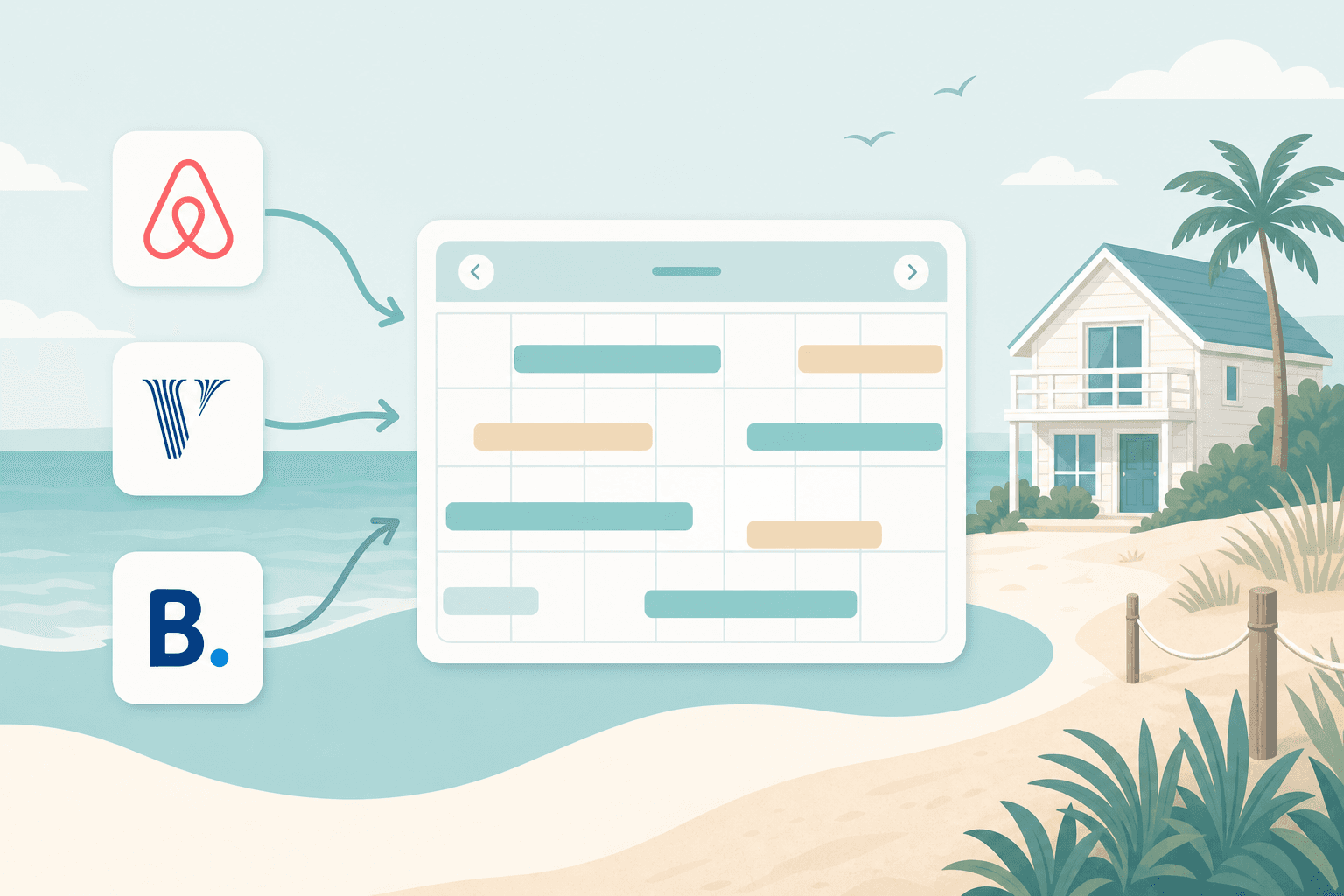
Connect once
Paste each platform's export iCal URL into your property.
See everything
One master calendar plus conflict alerts when sources overlap.
Stay aligned
Automatic syncs plus Sync now when you need an instant refresh.
Book privately
Share a link or QR; guests pay you via Stripe - not a public marketplace.
Quick start
Getting started in minutes
Create an account and connect your first calendar as soon as you add a property. You can enable a private Direct Booking page (link and QR) after Stripe payouts are ready. See Private Direct Booking.
Step 1
Create your host account
- Go to Host Sign Up (marketing registration is for hosts only) and enter your name, email, and a password (at least 8 characters).
- Confirm your password and submit. You'll land in the host dashboard.
- Already registered as a host? Host Log In. Guests use Register on a private listing link or Guest Log In.
Step 2
Add your first property
- Open Properties in the left navigation (or use Add property from Overview).
- Enter a clear name (for you), a real street address (required), timezone, and check-in / check-out times. Address suggestions appear as you type so you can pick a correctly formatted address.
- Save. You'll open the property detail page where connections and manual blocks live.
Step 3
Connect platforms (import)
- In the rental platform, find Export calendar / iCal and copy the HTTPS URL.
- In Rental Unify → property detail → choose the platform (Airbnb, Vrbo, Booking.com, Furnished Finder, or Other iCal).
- Paste the URL, optionally add a label, and save. The calendar will sync on the next run.
Step 4
Close the loop (export)
- On the property page, copy your Rental Unify export feed URL (standard for Airbnb; Vrbo only for Vrbo).
- In each platform, open Import calendar and paste that URL so they receive merged availability (including your manual blocks).
- Repeat for every channel you use. This is the step that keeps other sites from staying open.
Step 5
Verify on the calendar
- Open Calendar to see the master month view across properties.
- Click a day to inspect source, date range, and connection health.
- If something looks stale, open Connections or Activity and press Sync now.
Portal wiki
Using the host portal
After login you work inside /dashboard. Here's what each area is for.
Overview
/dashboardPortfolio snapshot: occupancy for the next 30 nights, open calendar conflicts, property health, and shortcuts to add a property or jump into calendars. Start here when you want a pulse check.
Calendar
/dashboard/calendarMaster availability across your properties. Filter by property, navigate months, open day details, and review which channel (or manual block) owns a night. Great for planning personal stays around bookings.
Bookings
/dashboard/bookingsDirect Booking stays: approve requests, open stay details, Trust Kit steps, and guest contact after confirmation. Filter by property when you manage more than one.
Tenants
/dashboard/tenantsConfirmed Long Term stays in one list. Open a stay to see rent months, mark a month paid, send a guest pay link, waive a month, or extend the term.
Properties
/dashboard/propertiesList and create rentals. Open a property for Direct Booking setup, platform connections, export links, Share and Print, and manual blocks.
Connections
/dashboard/connectionsPortfolio-wide view of every iCal connection: platform, health (Healthy / Delayed / Needs attention / Failed), last successful sync, and sync errors. Use Sync now to refresh all feeds for your account immediately.
Guests
/dashboard/guestsYour Direct Booking guest list, including confirmed Long Term stays: spend, stay count, referrals, and Invite Back. Filter repeat guests, referral guests, and birthdays on file.
Leads
/dashboard/leadsSubscribers, past-stay contacts, and Message Host questions. Send offer emails with coupon codes you already created.
Referrals
/dashboard/referralsGuest referral program status across listings: credits, welcome discounts, and referral stays.
Activity
/dashboard/activityA log of sync results, conflicts, connection changes, and account updates. Filter by category when you need to look something up.
Finances
/dashboard/financesBuild a stay report for dates and properties you choose. See Short Term and Long Term collections on screen, download a CSV, or email the report to yourself. This is collected-stay reporting, not a full accounting ledger.
Settings
/dashboard/settingsUpdate your name, avatar, email, and password. Manage sign-in security, host email alerts, and Direct Booking payouts. Platform tools are managed by Rental Unify and do not appear for hosts.
Wiki · Connections
Platform connections explained
Every healthy setup has two halves: feeds flowing into Rental Unify and your merged feed flowing back out to each platform.
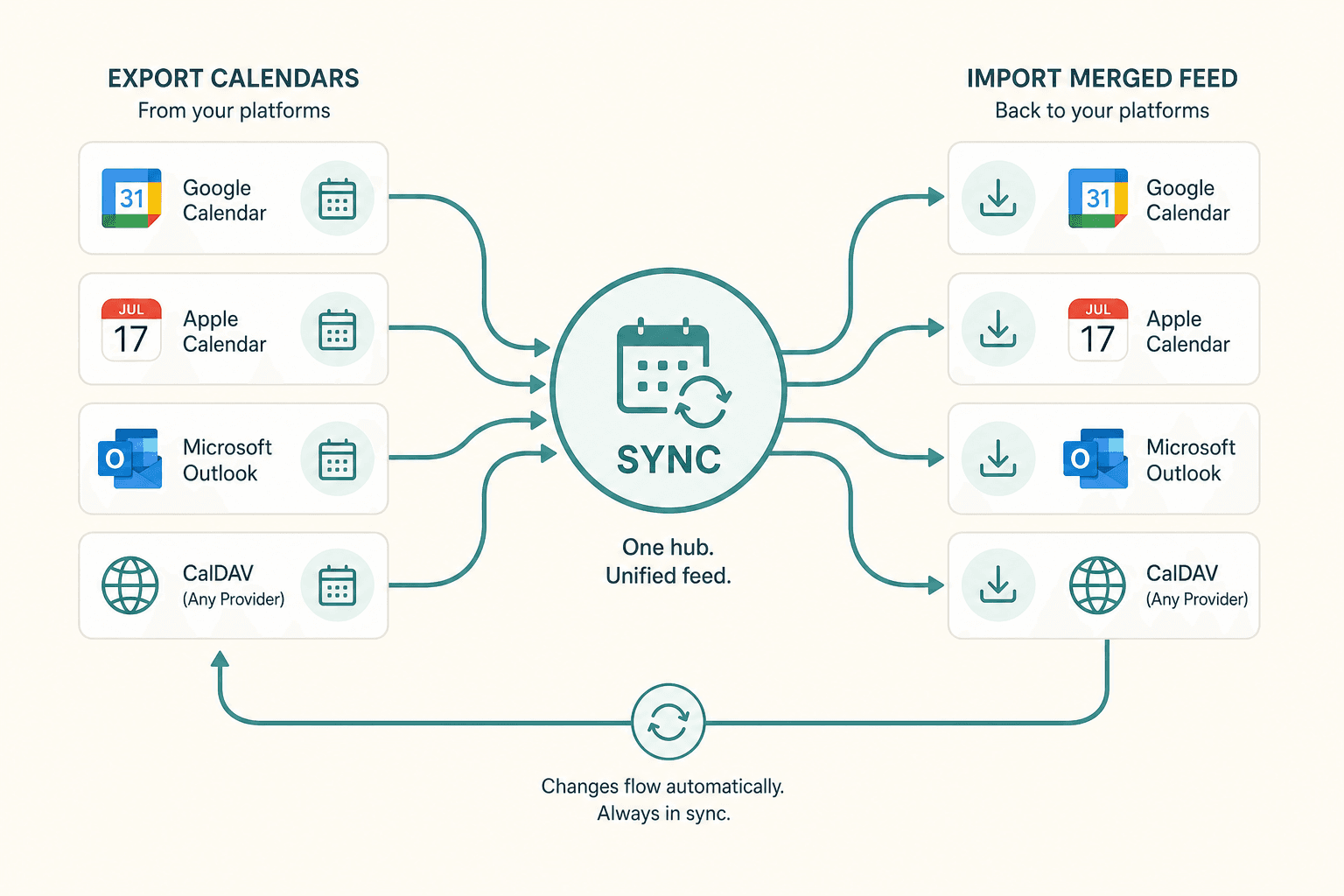
Import into Rental Unify
- Platform → Export calendar → copy HTTPS iCal URL
- Property detail → add connection → paste URL
- URLs are stored encrypted; guest details stay off our sync model
Export from Rental Unify
- Copy the Airbnb Only URL (path /calendar/ical/…ics) for Airbnb. Disconnect any old link first, then paste this one. It blocks other-channel and manual nights without sending Airbnb its own stays back
- Copy the standard export URL (ends in .ics) for Booking.com and other non-Airbnb / non-Vrbo calendars
- Copy the Vrbo Only URL (ends in .vrbo.ics) for Vrbo. It still blocks Airbnb, Direct Booking, and other busy nights, without sending Vrbo its own stays again
- Platform → Import calendar → paste the matching feed
- Feeds include other-channel blocks + your manual unavailable dates
Furnished Finder note
Furnished Finder offers limited one-way support. It does not offer full two-way calendar sync, so Rental Unify does not promise complete two-way sync for that channel. Use it where iCal helps, and verify critical dates on the platform itself.
Where to find export calendars (typical)
- Airbnb - Listing editor → Availability / Calendar → Availability settings → Connect calendars → Export calendar.
- Vrbo - Calendar → Import/Export (or Availability) → paste the property's Vrbo Only Rental Unify URL (ends in .vrbo.ics), not the standard .ics link. That feed still blocks Airbnb, Direct Booking, and other busy nights for Vrbo, without sending Vrbo its own stays again. Export stays within about one year for Vrbo's import window.
- Booking.com - Rates & Availability / Calendar sync → Export / Import calendar URLs (labels vary by extranet version).
- Other iCal - Any channel that gives you a public .ics URL works the same way.
Platform menus change over time - if you can't find Export, search the host help center for "iCal" or "calendar sync."
Wiki · Calendar
Calendar & manual blocks
The master calendar is your single map of busy nights. Colors distinguish platforms and manual holds so you can see at a glance who owns a date.
Reading the calendar
- • Switch months with the calendar controls
- • Click a day for property, source, and date range
- • Connection health appears with reservation details
- • Range covers recent history and about a year ahead
Adding a manual block
- Open the property and use the manual block form
- Choose first night and last night (inclusive)
- Pick a reason: personal, friends & family, maintenance, renovation, or other
- Optional note → save - those nights flow into your export feed; checkout morning stays open
Conflicts
When two sources overlap on the same property, Rental Unify flags a conflict. Check Activity for Conflict detected events, then fix the night on the platforms (or adjust your manual block). Conflicts are warnings to act on - not automatic cancellations on Airbnb or Vrbo.
Wiki · Sync
Automatic & manual sync
Sync means Rental Unify re-fetches each connected iCal URL, replaces that connection's blocked dates, updates health status, and recalculates conflicts.
Background jobs refresh connections on a schedule (about every 30 minutes). You don't need to leave the dashboard open for this to run.
On Connections or Activity, press Sync now to refresh every active connection on your account immediately - ideal right after you take a booking on an OTA or fix a bad URL.
If a connection shows an error
- Open the property and confirm the iCal URL still works in a browser (should download/open a calendar).
- Re-copy the export link from the platform - hosts sometimes regenerate feeds.
- Save the connection again, then Sync now.
- Check Activity for the error detail if it persists.
Remember: even after Rental Unify updates, Airbnb/Vrbo/Booking may take additional time to refresh the imported feed on their side.
Wiki · Direct Booking
Private Direct Booking (link & QR)
Direct Booking is the main product for hosts who want guests to book them privately - not a public Airbnb-style marketplace. Calendar sync is the companion feature that keeps your OTA calendars honest after someone pays on your private page. Guests only reach a listing if you share the link or QR.
What hosts set up
- • Connect Stripe (payouts go to you - not Rental Unify)
- • Use Property Readiness on the property page to see required vs recommended setup at a glance
- • Add listing basics: photos, pricing, rules, contact email & phone
- • Optional: pets, parking, add-ons, Instant Book vs approval, referrals
- • When Instant Book is off, review requests in Bookings with a full stay breakdown, then APPROVE AND CHARGE or DECLINE REQUEST
- • Bookings & Savings shows Direct revenue, nights, averages, coupon / referral / birthday stays, repeat guests, and estimated fees avoided
- • Turn host email alerts on or off in Settings (new bookings, cancellations, Trust Kit issues, calendar connection failures, daily digest, monthly report)
- • Guest Stay Emails (per listing): before arrival, check-in day, and before checkout, with optional notes. Check-in codes stay private until a few days before arrival
- • Automatic Stay Messages summary on the listing: what is on for stay emails, review reminders (capped), referral nudge after a positive review, birthday offers, and deposit auto-release
- • On a booking, preview stay emails and SEND NOW when needed
- • Optional: Local Recommendations - host favorites, distance, directions, and tips for guests
- • Multi-property: Overview occupancy + conflicts inbox, Master Calendar / Bookings property filters, Copy Settings From (safe fields only)
- • Booking confirmation pages need the email (or Guest dashboard) stay link; bare booking URLs stay locked
- • Location Privacy: approximate area, exact on the private link, or exact after confirmed booking
- • Short Term and Long Term on one private page (see Short Term & Long Term below)
- • Money actions (approve/decline, cancel+refund, deposit capture/release) ask for a second confirmation
- • Guests can subscribe for future discounts (Leads); send offer emails with your Coupons
- • Optional Birthday Offers: surprise discount email near a guest's birthday
- • Enable the private page and copy the link or QR code
- • Check Listing Traction next to your QR: QR Scans vs Link Opens, plus bookings from each
- • Share & Print Marketing Campaigns: unique QR and link per flyer with scans, visits, bookings, revenue, and estimated fees avoided
- • Share & Print editor: undo/redo, snap guides, reset layout, and a campaign QR picker so each piece can print the right QR for that flyer
- • Confirmed stays block nights in your unified calendar / export feed
What guests do
- • Open your link or scan your QR
- • Choose Short Term (nights) or Long Term (months) when the host offers both
- • Optionally Register or Log In (birthday month/day on register for a later surprise)
- • Tap LOCAL RECOMMENDATIONS if the host added nearby picks (popup + phone QR)
- • Pick available dates and pay via official Stripe Checkout only
- • See the stay total with fees before checkout; deposit holds and ID checks (when the host uses them) are explained on the booking card
- • Provide real name, email, and phone (autofilled when signed in as a guest)
- • After confirmation, use the host's email/phone to coordinate the stay
- • Check-in notes (codes, parking tips) appear on the confirmed stay page and emails closer to arrival, not on the public listing
- • Use the guest stay dashboard for past stays, reviews, and referrals
Contact exchange is mandatory
We intentionally do not build an in-app chat. Once a booking is confirmed, the guest receives the host's contact email and phone, and the host receives the guest's. Coordinate check-in details outside Rental Unify - cleaner for you, less noise in the product.
Wiki · Stay Types
Short Term and Long Term on one private page
Run nightly Direct Booking and optional furnished month stays from the same private link and QR. Guests can choose English, Spanish, French, German, Italian, Portuguese, Chinese, Japanese, or Korean for Rental Unify buttons and labels. Your written listing copy stays as you wrote it. Printed and QR links do not change. Guests choose Short Term or Long Term on your listing when Long Term is enabled and available. Calendar sync still protects confirmed Direct nights on Airbnb, Vrbo, and your other channels.
Short Term (nights)
Best for vacations and weekend stays. Guests pick check-in and checkout, apply coupons, add extras, and either Instant Book or request approval.
- • Nightly / weekend rates, date overrides, min and max nights
- • Instant Book or host approval (APPROVE AND CHARGE)
- • Add-ons, pets, parking, Trust Kit, referrals, stay emails
- • Guest pays lodging through Stripe Connect to you
- • Confirmed stay creates a Direct calendar block that exports to OTAs
Long Term (months)
Best for travel nurses, contractors, and other furnished month stays. Inquiry first. You decide who receives a contract.
- • Always on or seasonal windows (optional yearly repeat)
- • Min/max months, monthly rent, deposit, inclusions, notice days
- • No Instant Book: guest submits inquiry with move-in and months
- • Editable generic US contract draft + host typed-name acceptance
- • Preview Sample Contract with fictitious guest data before you send
- • Guest signs on a branded contract page; Stripe and/or offline move-in pay
- • Confirmed stays appear under Tenants with rent months, reminders, and pay links
- • Extend extra months or switch to month-to-month; first month can prorate mid-month
- • Calendar hold only after signed + paid (or signed with $0 due)
| Topic | Short Term | Long Term |
|---|---|---|
| Who it is for | Vacation and short stays | Nurses, contractors, longer furnished stays |
| Guest path | Reserve / request on the listing | Inquiry, then contract link |
| Pricing | Nights, fees, add-ons, coupons | Monthly rent, deposit, move-in rules |
| Host control | Instant Book or approval | You choose who gets a contract |
| Payment | Stripe stay checkout | Move-in pay, then monthly rent reminders and pay links |
| Calendar lock | When the booking is confirmed | When signed and paid (or nothing due) |
Host setup checklist (Long Term)
- Open the property Direct Booking panel → Long Term Stays.
- Enable Long Term. Choose Always On or Seasonal. Set months, rent, deposit, and pay options.
- Edit the contract draft if needed. Use PREVIEW SAMPLE CONTRACT, then ACCEPT TEMPLATE with your full name.
- SAVE DIRECT BOOKING SETTINGS so your settings and prices are kept.
- When an inquiry arrives, SEND CONTRACT. Guest signs and pays. Confirm offline pay only after you received funds.
- Open Tenants after confirmation to collect later rent months, send a pay link, or extend the stay.
- Use Property Finances when you want a date-range report of Short Term and Long Term collections.
Important legal note
Rental Unify is a software and tools company. Long Term settings and the contract template are drafting aids based on common US practices. They are not legal advice, not an official attorney document, and not a guarantee of local compliance. You own and are solely responsible for any contract you edit, send, or enforce. Rental Unify is not a party to host-guest long-term agreements. Long Term stays may create residential tenancy rights under local law. Consult your own counsel when needed.
Wiki · Referrals
Guest referral program (optional, per listing)
Hosts who enable referrals on a Direct Booking listing let each guest earn a unique referral link for that property only. You choose the economics - Rental Unify just runs the math.
What you set
- • Turn on or off per listing (never account-wide by default)
- • Referrer credit % - added after each successful referred stay
- • New guest discount % - off lodging when booking with a referral link (0 = none)
- • Max free nights - when a referrer reaches 100% credit
How earning works
- • Guest A stays → gets a unique
?ref=link for this listing - • Guest B books with that link (optional welcome discount applies at checkout)
- • After Guest B checks out, Guest A's credit increases by your referrer %
- • Credits stack to 100%, then apply to Guest A's next stay here (capped by max free nights)
- • Credits never move to another property - even if the same guest stayed elsewhere
Important rules
- • Self-referrals (same email, Gmail-style aliases, or matching phone / card) are blocked.
- • Referral discounts are rate-limited per phone and card on each listing (about 3 per 30 days).
- • If abuse is detected after payment, the referrer does not earn credit (logged in Activity).
- • Abandoned checkouts and declined requests do not earn credit.
- • Discounts apply to lodging; cleaning fees and add-ons are still charged unless lodging covers the whole stay under your rules.
- • A daily job finalizes credit after check-out dates; guests also receive their link on the booking confirmation page when the program is on.
Trust & safety
Avoiding scams
Private links reduce drive-by spam, but hosts and guests must still stay sharp. Rental Unify will never ask you to pay a "verification fee" by gift card or wire.
- Guests: Pay only through the official checkout on the Rental Unify booking page. If someone with your link asks you to text money, crypto, or gift cards instead - stop and report it.
- Hosts: Keep listing details accurate. Complete Stripe Connect with your real identity. Do not ask guests to pay outside Checkout for Direct Booking stays.
- Everyone: Use real email and phone numbers - they are exchanged at confirmation. Fake contacts violate our Terms and can get accounts suspended.
- Report suspected abuse to support@rentalunify.com. Full rules live in the Acceptable use & anti-fraud section of the Terms.
100% FREE
Included for every host
Calendar sync, private Direct Booking, and the host tools are included. Donations are optional. They are how Rental Unify keeps this service free and active.
Donations are optional. They are how Rental Unify keeps this service free and active.
FAQ
Frequently asked questions
Ready to unify - and book privately?
Create a free account, connect your first calendar, and open private Direct Booking.